

Smooth Glass
Adds smooth glass and panes that lose their seams when joined, with stained and tinted glass. Also adds tinted glass panes, absent from the base game.
Compatibility
| Edition | Bedrock Edition |
|---|---|
| Minecraft versions | 1.26.50 |
| Pack types | Behavior pack, Resource pack |
| Experimental features | Not needed |
| License | MIT |
Download
Download directly from this site
smooth-glass-0.1.10.mcaddon
SHA-256: e35e1e3a299e8b07fa6c4c9dee7865f4f35bb7b7bb347d655db4110813807cda
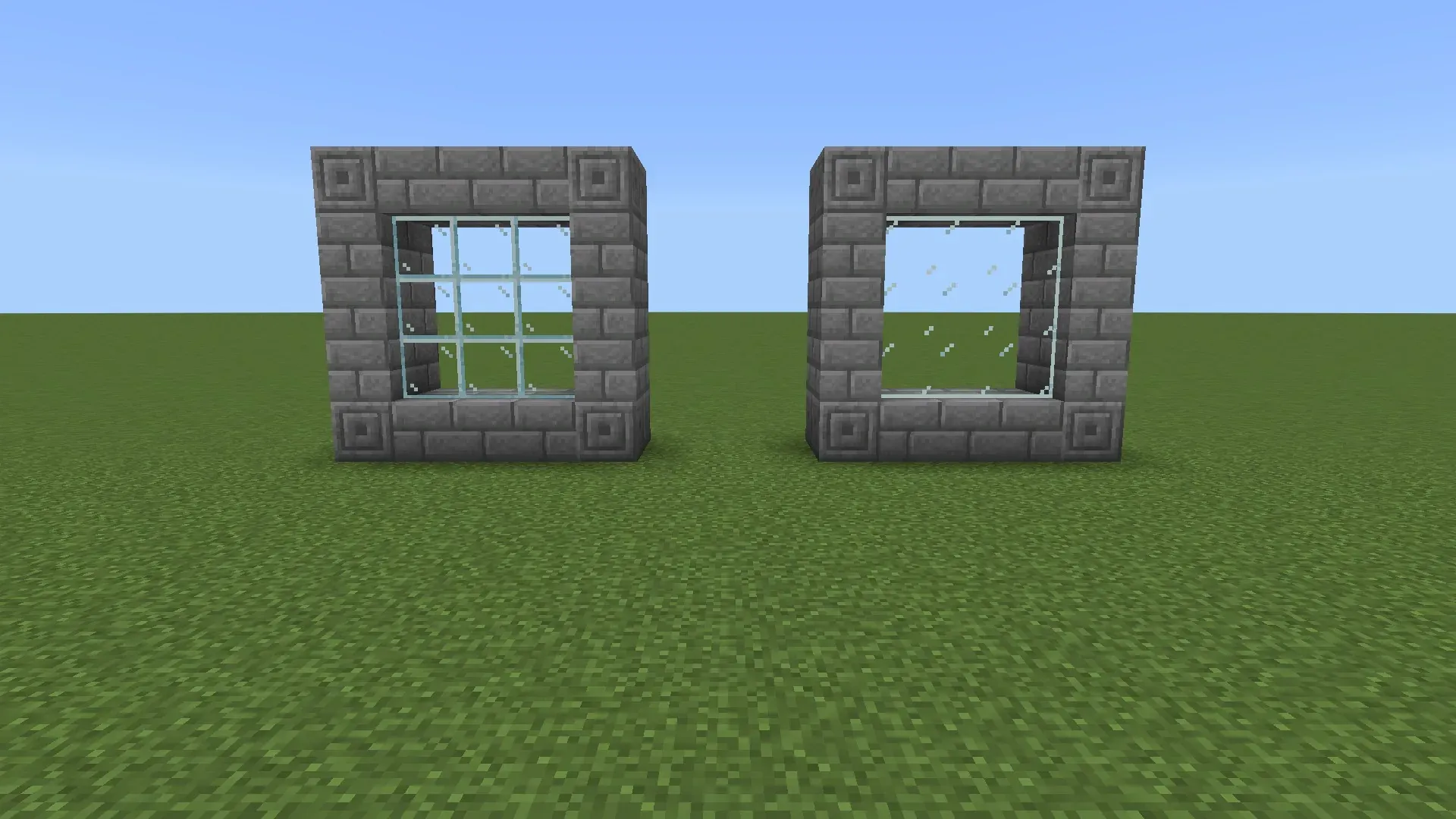
Normally, glass shows a frame around every block when you line them up. With this add-on, placing the same kind of glass next to each other removes the frame between them, so they join like a single sheet of glass. Build large windows, greenhouses, aquariums, and glass-walled buildings cleanly.
Features
- Adds smooth glass and glass panes.
- Smooth versions of stained glass (all 16 colors) and tinted glass are included, each with its pane (36 blocks in total).
- Tinted glass panes are included, too (see “Tinted glass panes, which the base game doesn’t have” below).
- Smooth glass is a separate block from the base game’s glass. You can use both side by side, which widens your options even further in both building and survival.
- Glass blocks join with the same kind of glass in all six directions. Glass panes join with panes of the same kind and with the blocks around them.
- Connections update automatically as you place and break blocks.
- The glass looks like the game’s own glass; only the seams disappear.
- Lightweight, and no experimental features required.
Tinted glass panes, which the base game doesn’t have
The base game has tinted glass blocks, but no tinted glass panes. This add-on adds tinted glass panes, too, and like the other panes, they join seamlessly when placed side by side.
The screenshot below shows large windows in a stone wall made with tinted glass panes. The panes join without gaps into single, seamless dark sheets.
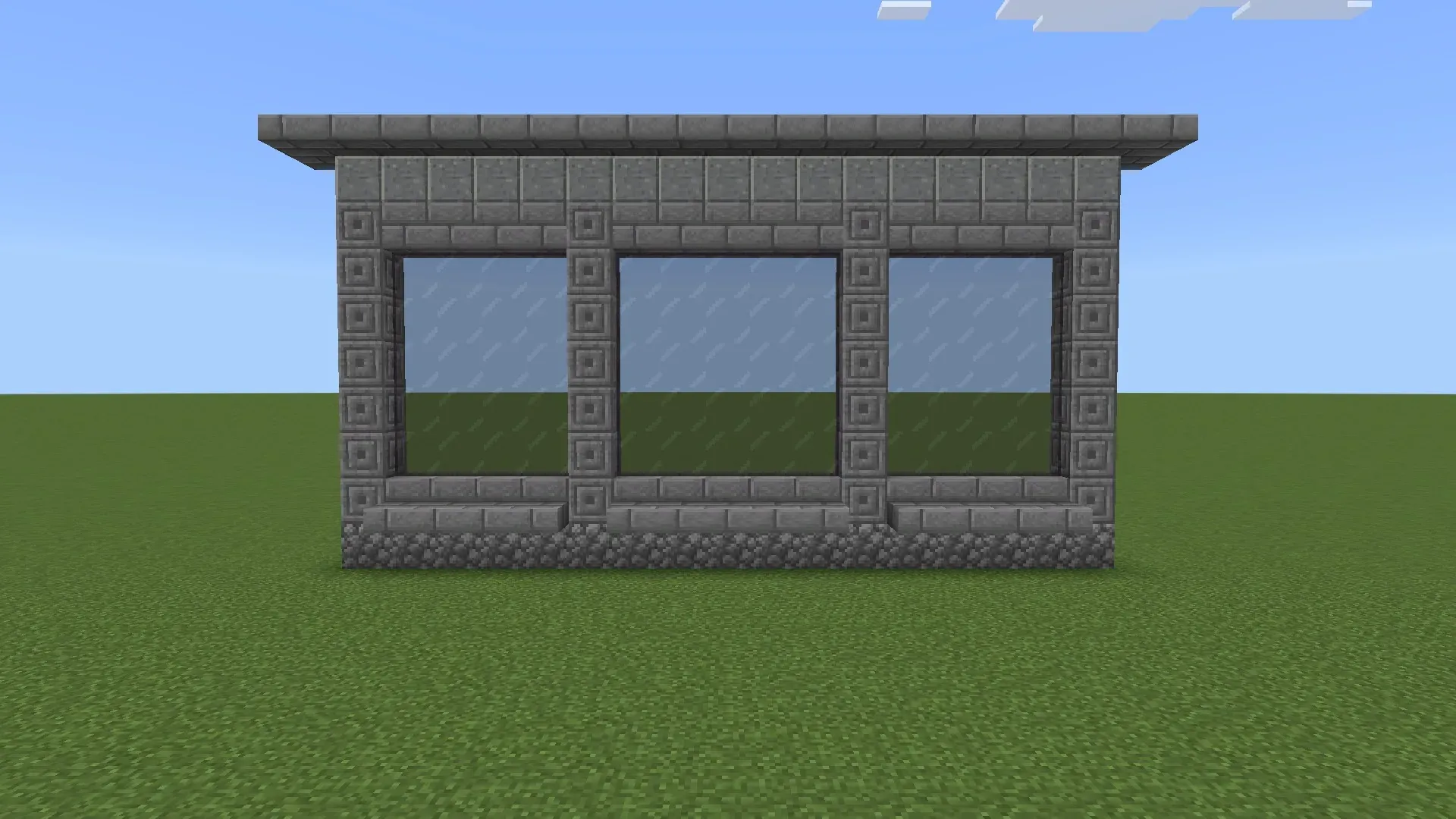
Because tinted glass panes are added as blocks separate from the base game’s glass, they open up even more uses for glass in both building and survival. See “How to get it” below for the recipe.
Note: mobs can spawn
Smooth glass blocks are transparent, but they are not set to prevent mob spawning. This is so that the add-on meets the official Marketplace review criteria and does not affect any existing settings in your world. Because of this, mobs can spawn on top of the blocks.
- We recommend using them mainly for building. In greenhouses, aquariums, and glass-walled buildings, mobs may spawn on glass floors and roofs. Where you don’t want them, use the usual spawn-proofing, such as placing lights.
- You can also put this to use. For example, using smooth glass as the floor of a mob farm lets you build a farm with a transparent floor. It widens what you can do, not only in building but also in survival contraptions.
How to get it
Everything can be made at a crafting table or a stonecutter.
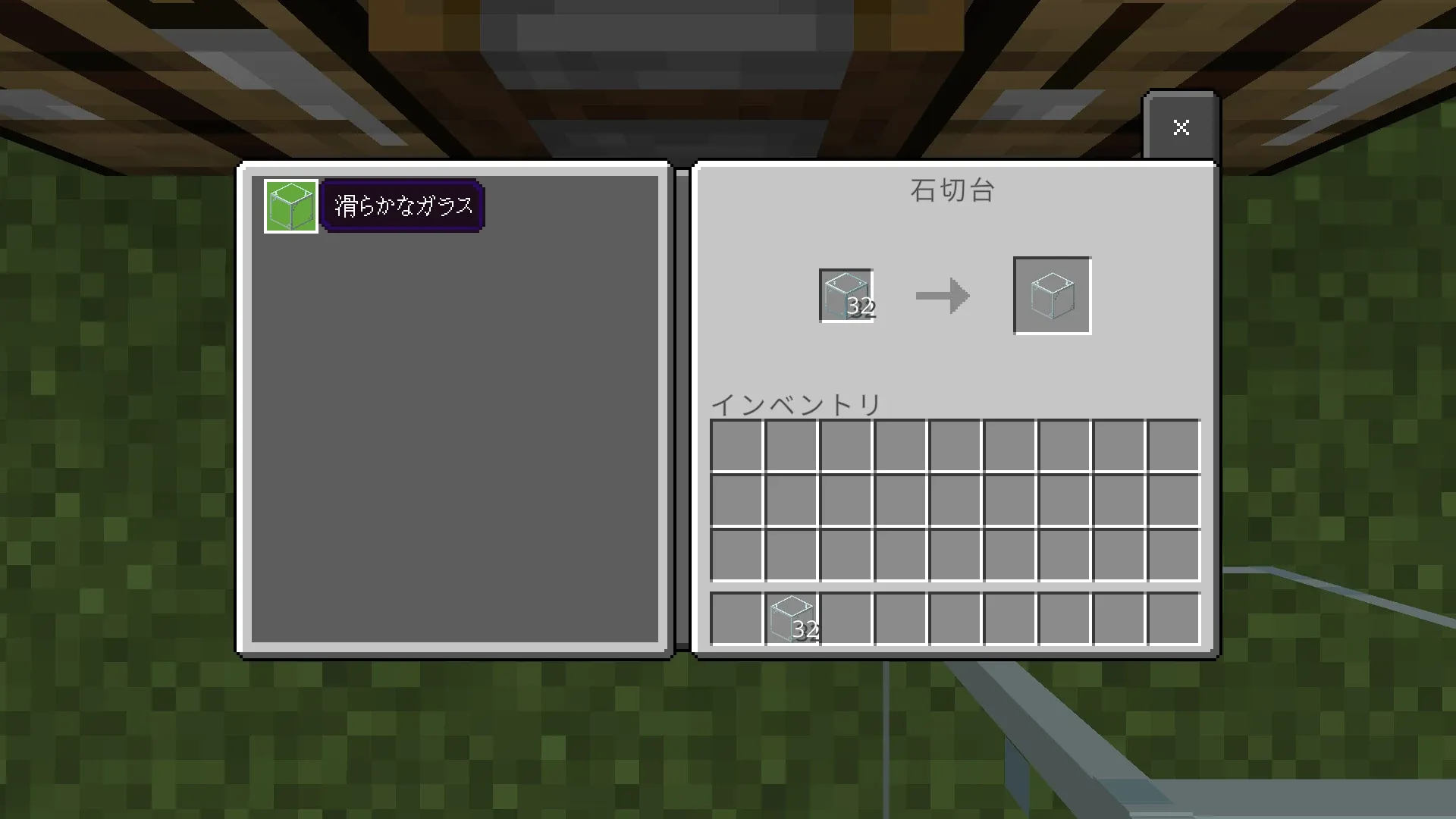
- Smooth glass and smooth tinted glass: cut them from regular glass and tinted glass at a stonecutter. You can also turn them back into regular glass.
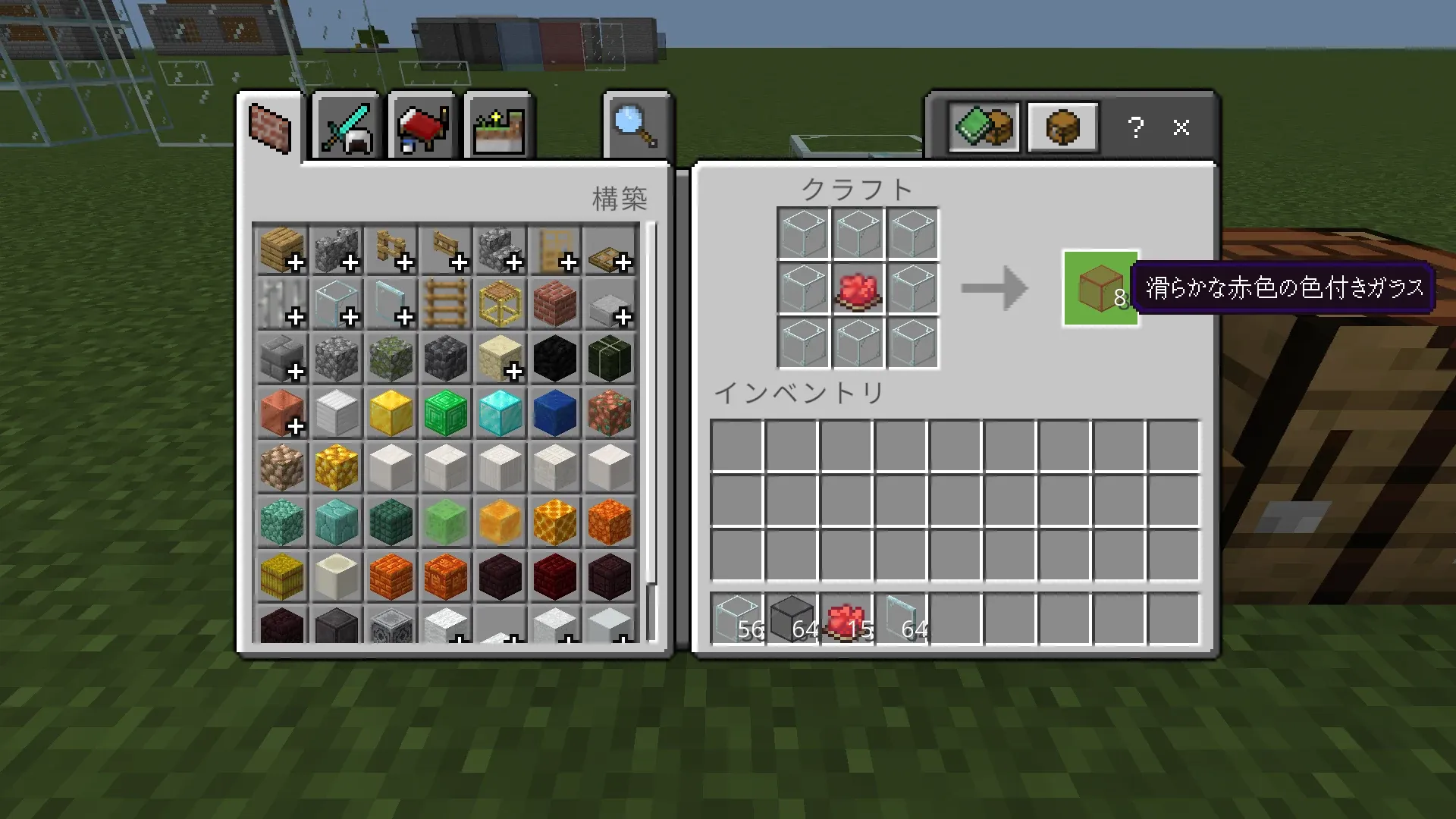
- Stained smooth glass: surround one dye with 8 smooth glass to get 8 blocks.
- Smooth glass panes: place smooth glass in a 3 × 2 grid to get 16 panes.
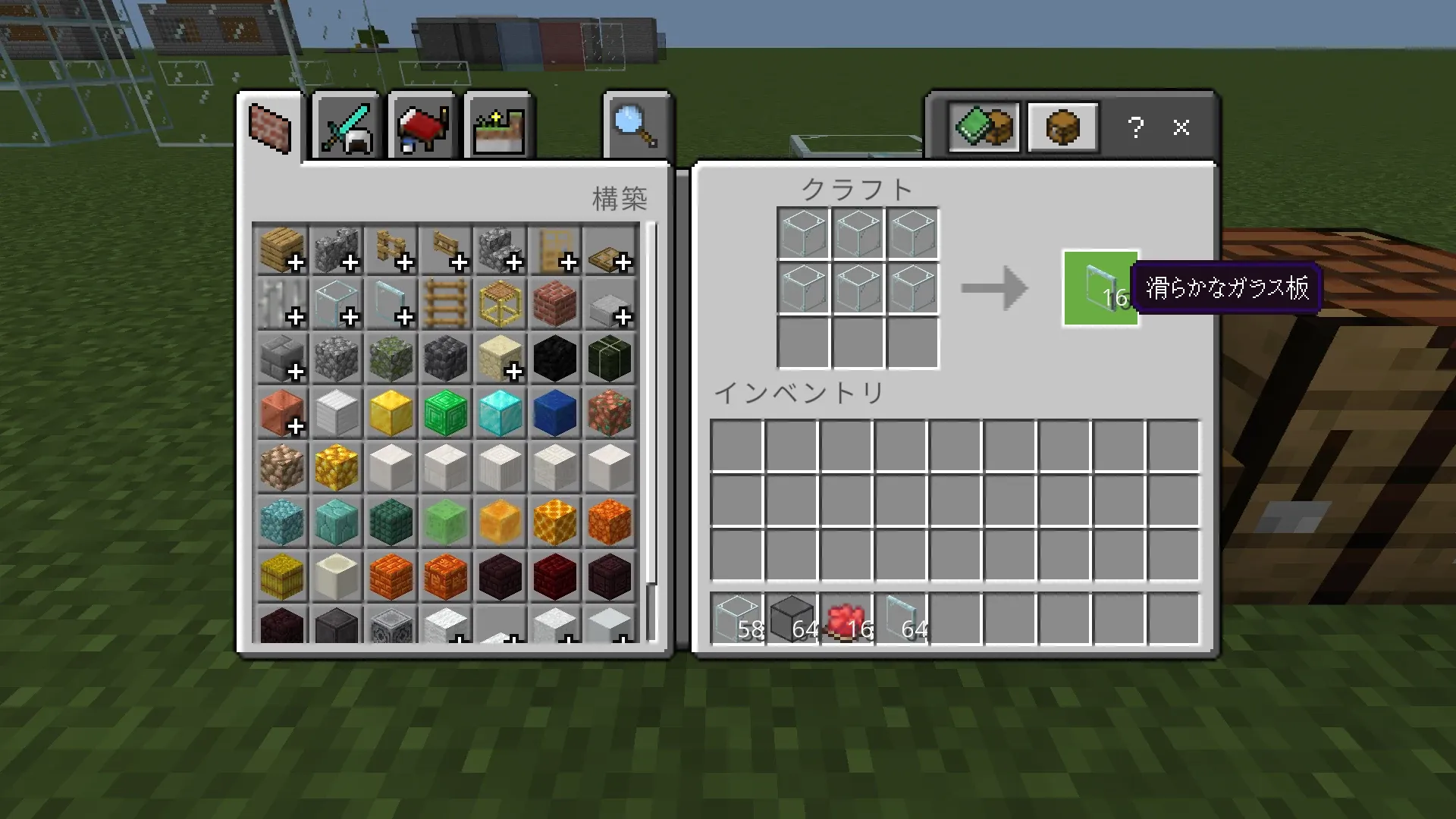
- Smooth tinted glass panes: place smooth tinted glass in the same 3 × 2 layout to get 16 panes.
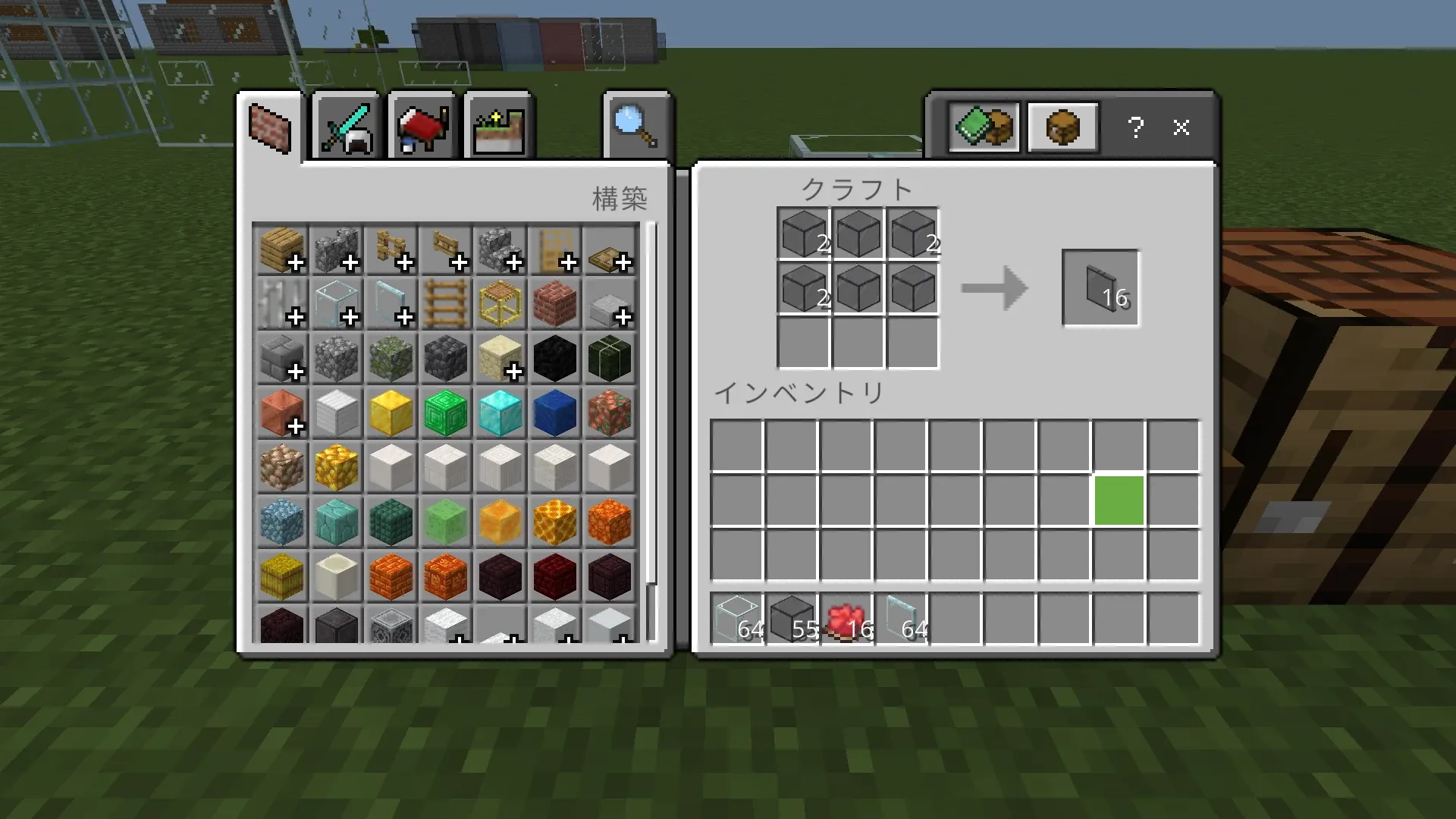
- Stained glass panes: surround one dye with 8 smooth glass panes to get 8 panes.
How to install
- Download the
.mcaddonfile from “Download” below and open it (Minecraft starts and imports it; on mobile, share it to Minecraft). - In your world settings, enable the behavior pack (the resource pack is enabled along with it).
- Turn on “Creator → Content Log” in the settings to see any pack errors.
Requirements
- Minecraft Bedrock Edition, version 1.26.50 or later.
- Includes both a behavior pack and a resource pack. Uses scripting (
@minecraft/server).
Changelog
- 0.1.10 (2026-10-10): First release.
License
Released under the MIT License.
MIT License

Copyright (c) 2026 to3izo

Permission is hereby granted, free of charge, to any person obtaining a copy
of this software and associated documentation files (the "Software"), to deal
in the Software without restriction, including without limitation the rights
to use, copy, modify, merge, publish, distribute, sublicense, and/or sell
copies of the Software, and to permit persons to whom the Software is
furnished to do so, subject to the following conditions:

The above copyright notice and this permission notice shall be included in all
copies or substantial portions of the Software.

THE SOFTWARE IS PROVIDED "AS IS", WITHOUT WARRANTY OF ANY KIND, EXPRESS OR
IMPLIED, INCLUDING BUT NOT LIMITED TO THE WARRANTIES OF MERCHANTABILITY,
FITNESS FOR A PARTICULAR PURPOSE AND NONINFRINGEMENT. IN NO EVENT SHALL THE
AUTHORS OR COPYRIGHT HOLDERS BE LIABLE FOR ANY CLAIM, DAMAGES OR OTHER
LIABILITY, WHETHER IN AN ACTION OF CONTRACT, TORT OR OTHERWISE, ARISING FROM,
OUT OF OR IN CONNECTION WITH THE SOFTWARE OR THE USE OR OTHER DEALINGS IN THE
SOFTWARE.
Screenshots
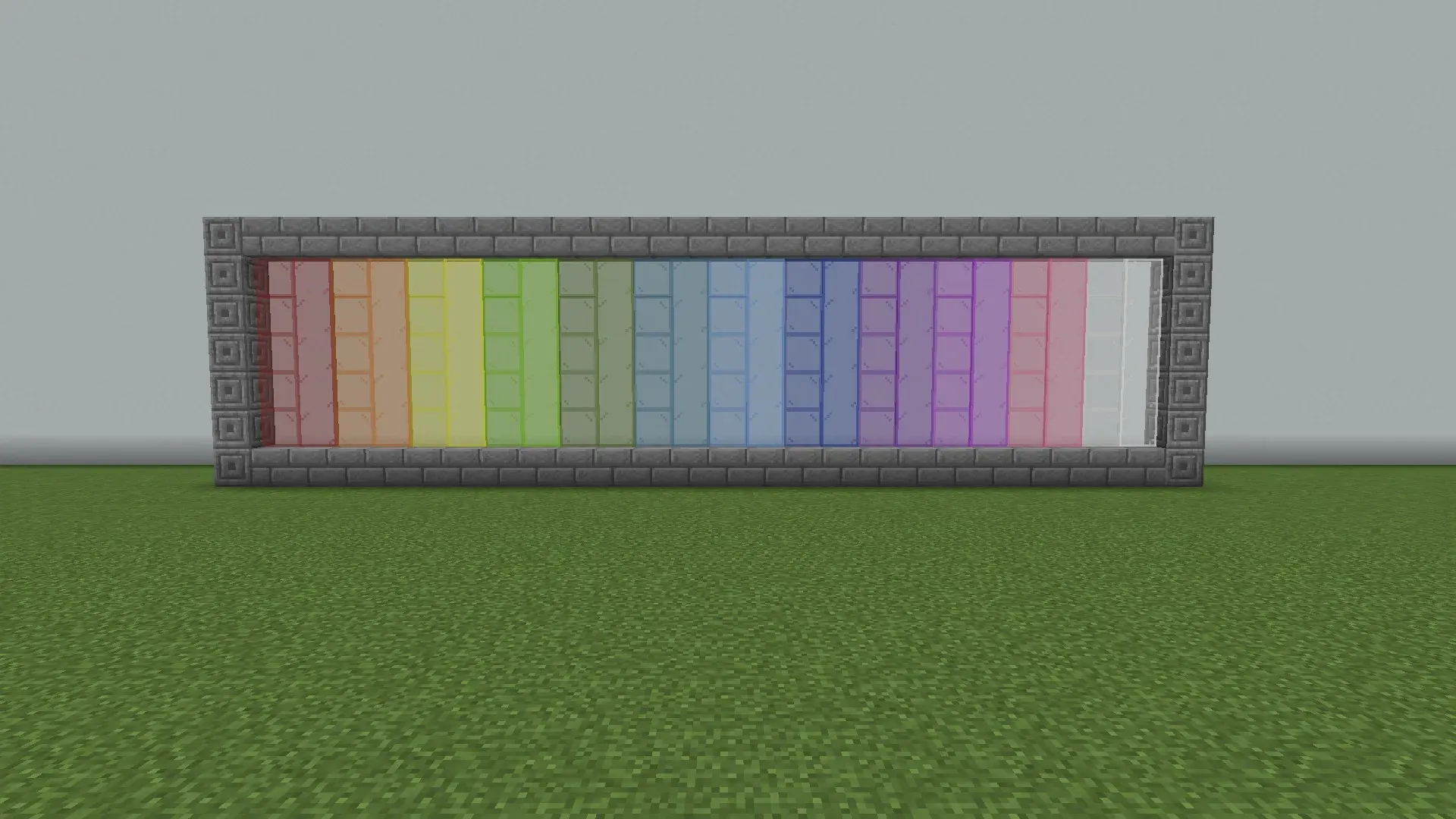
The seam difference is clear even in color 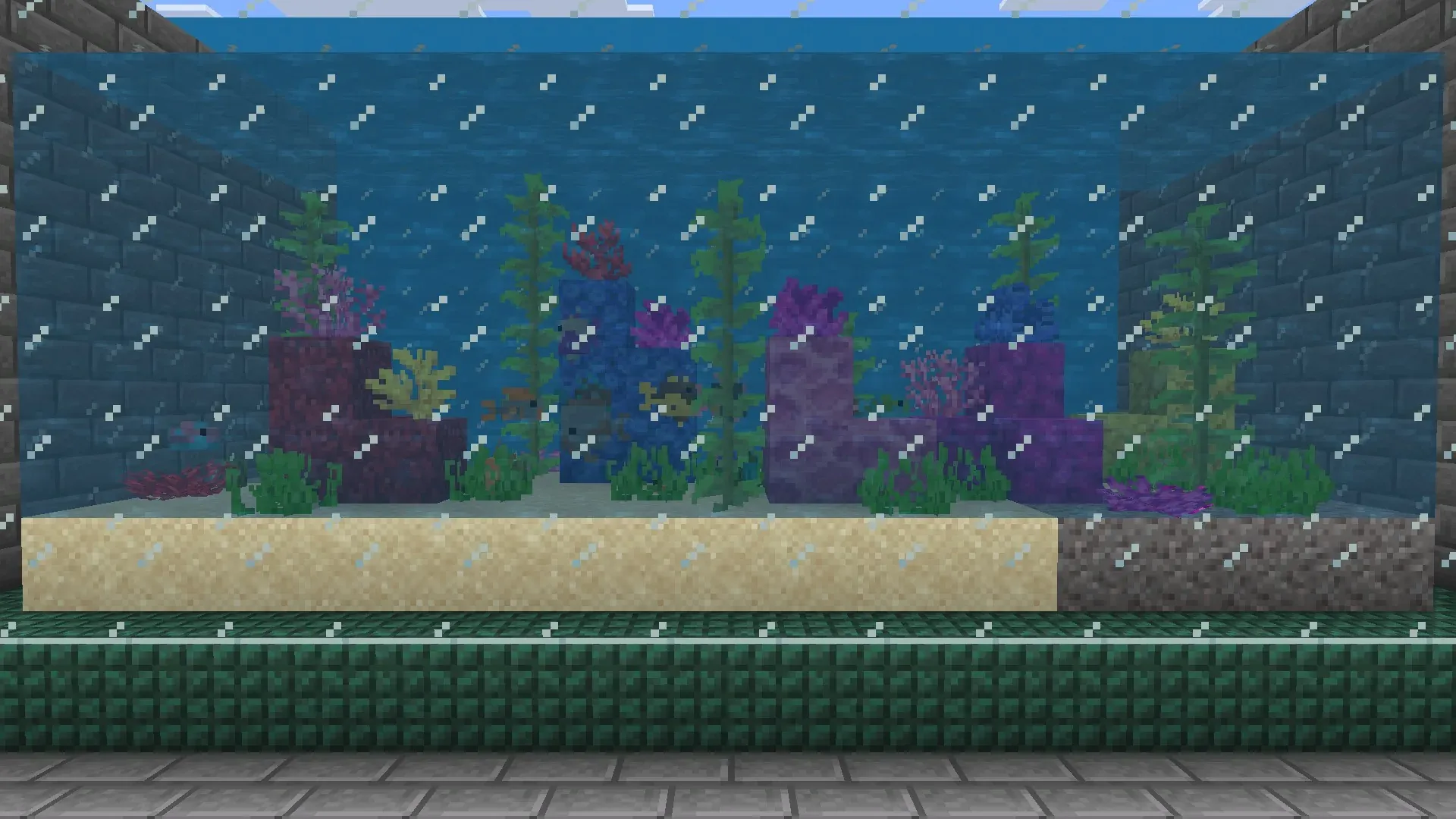
Aquariums look great behind frameless, oversized glass 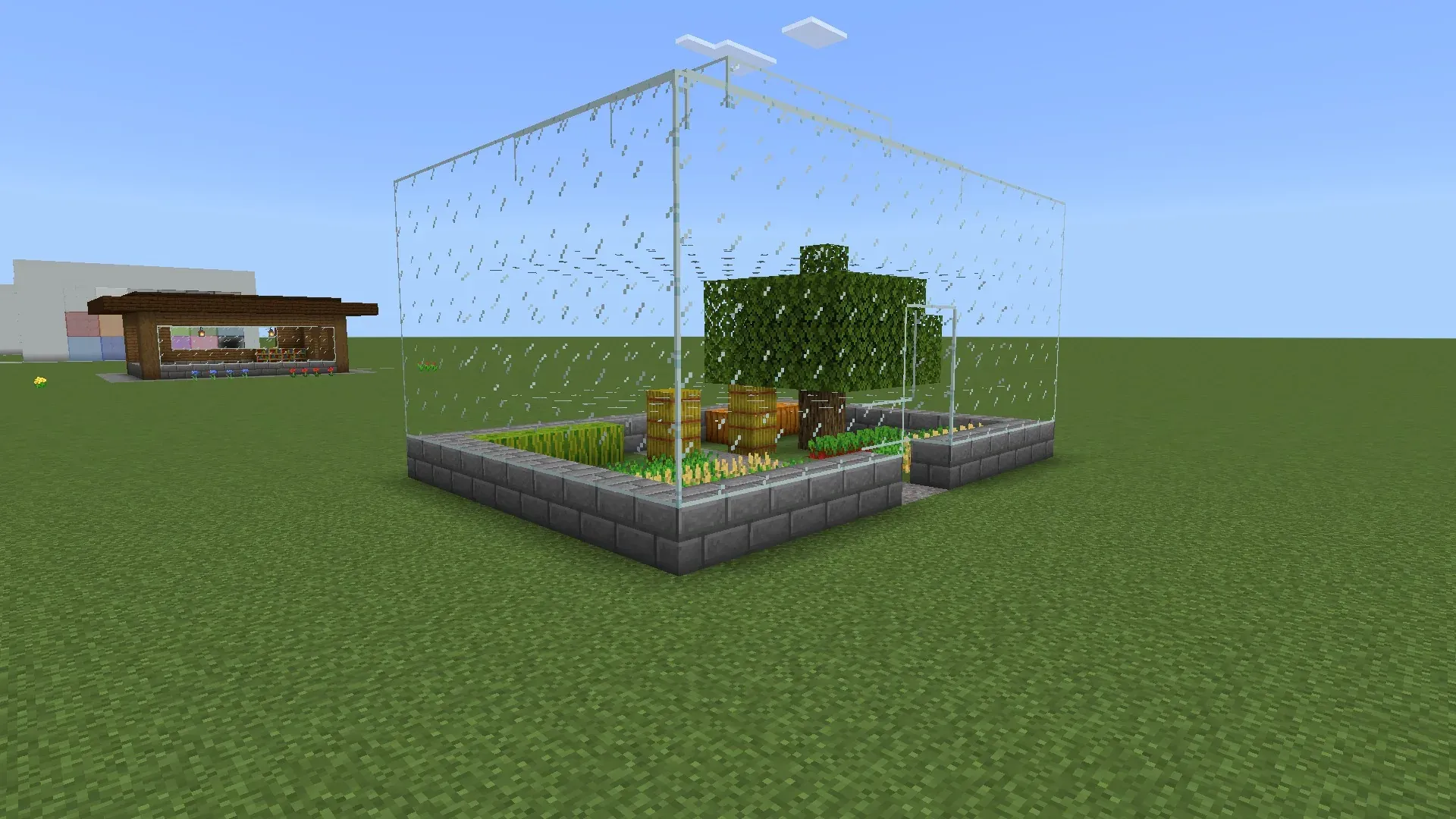
A greenhouse 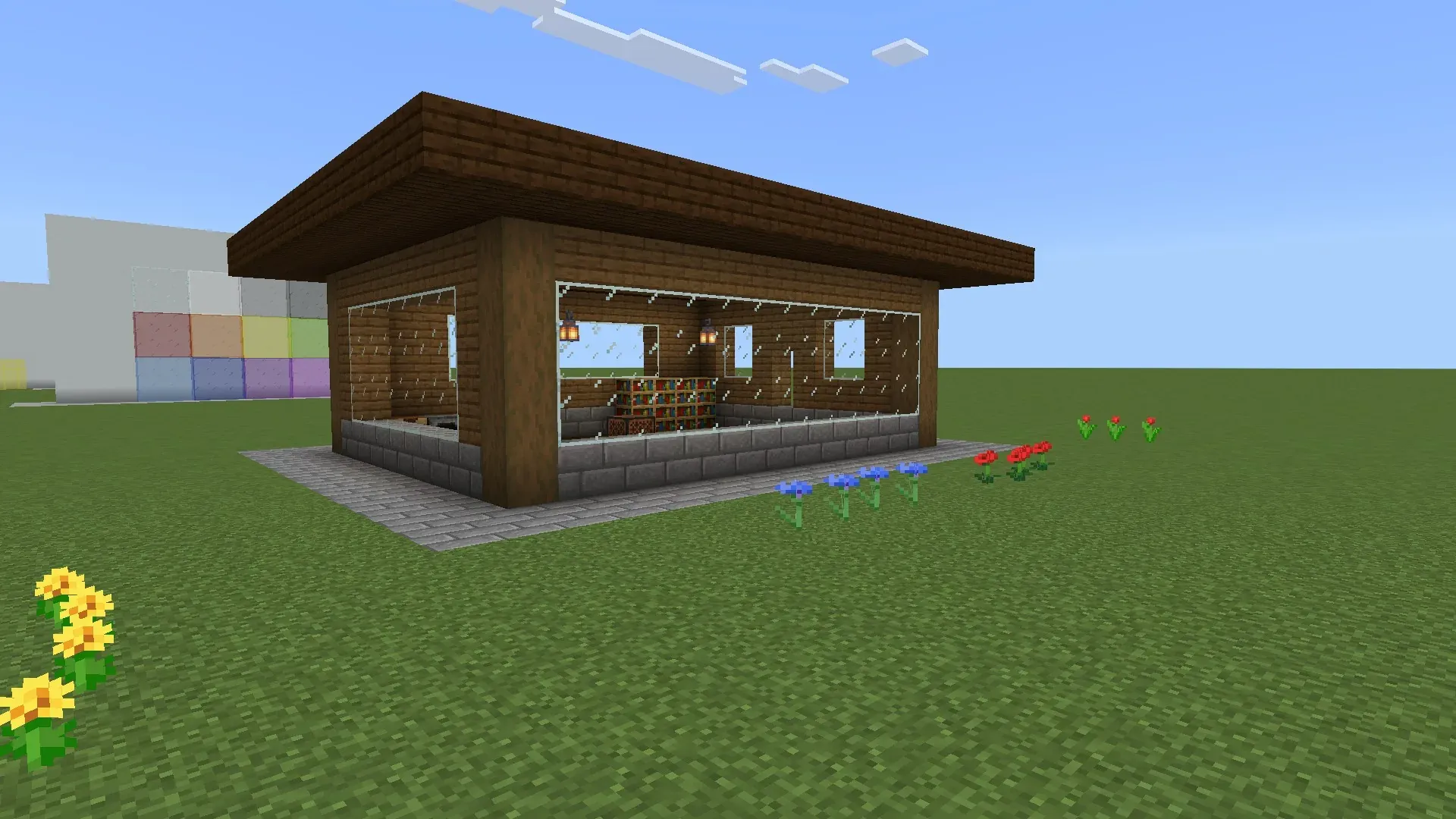
Large lodge windows 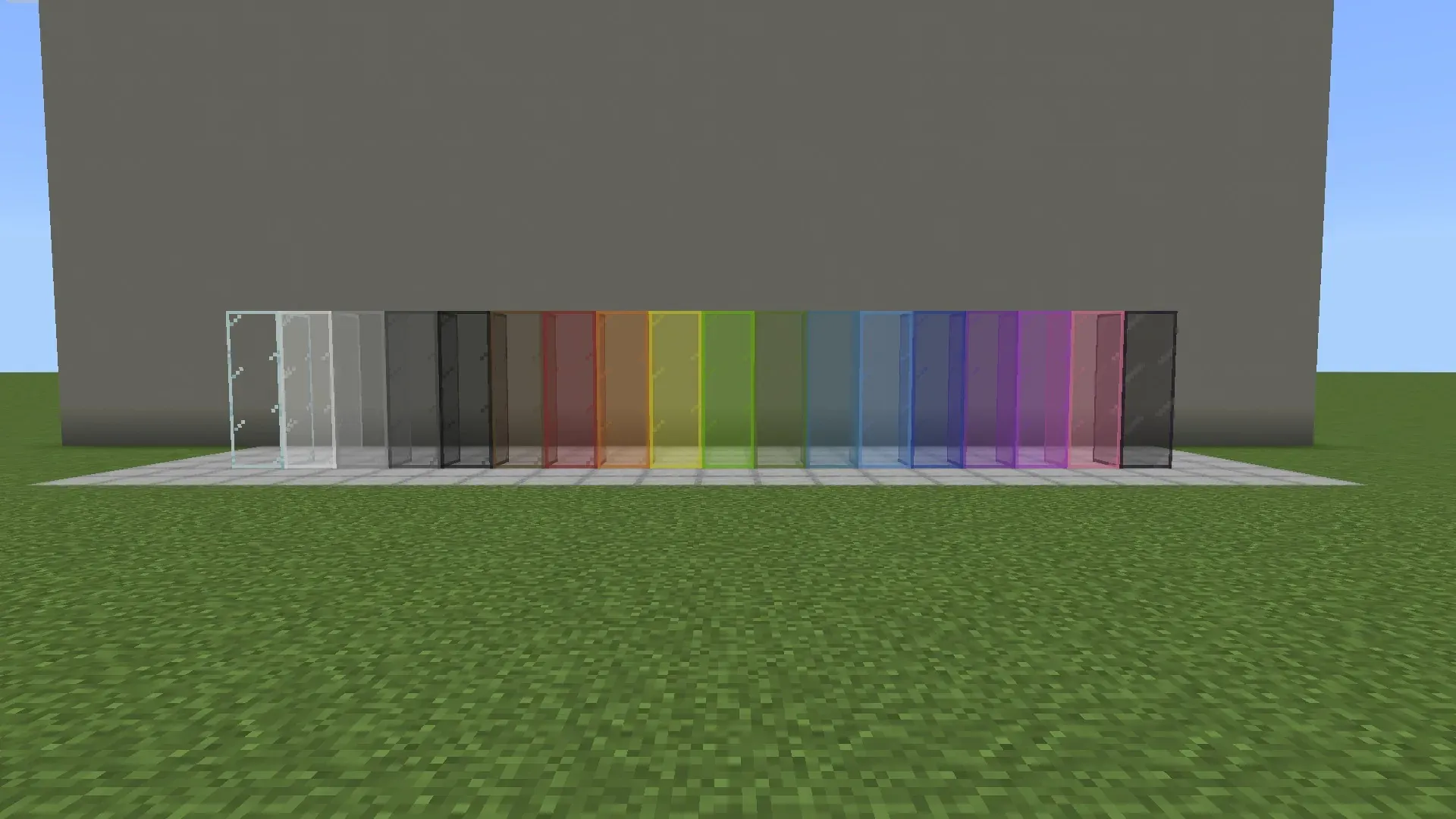
18 smooth glass blocks 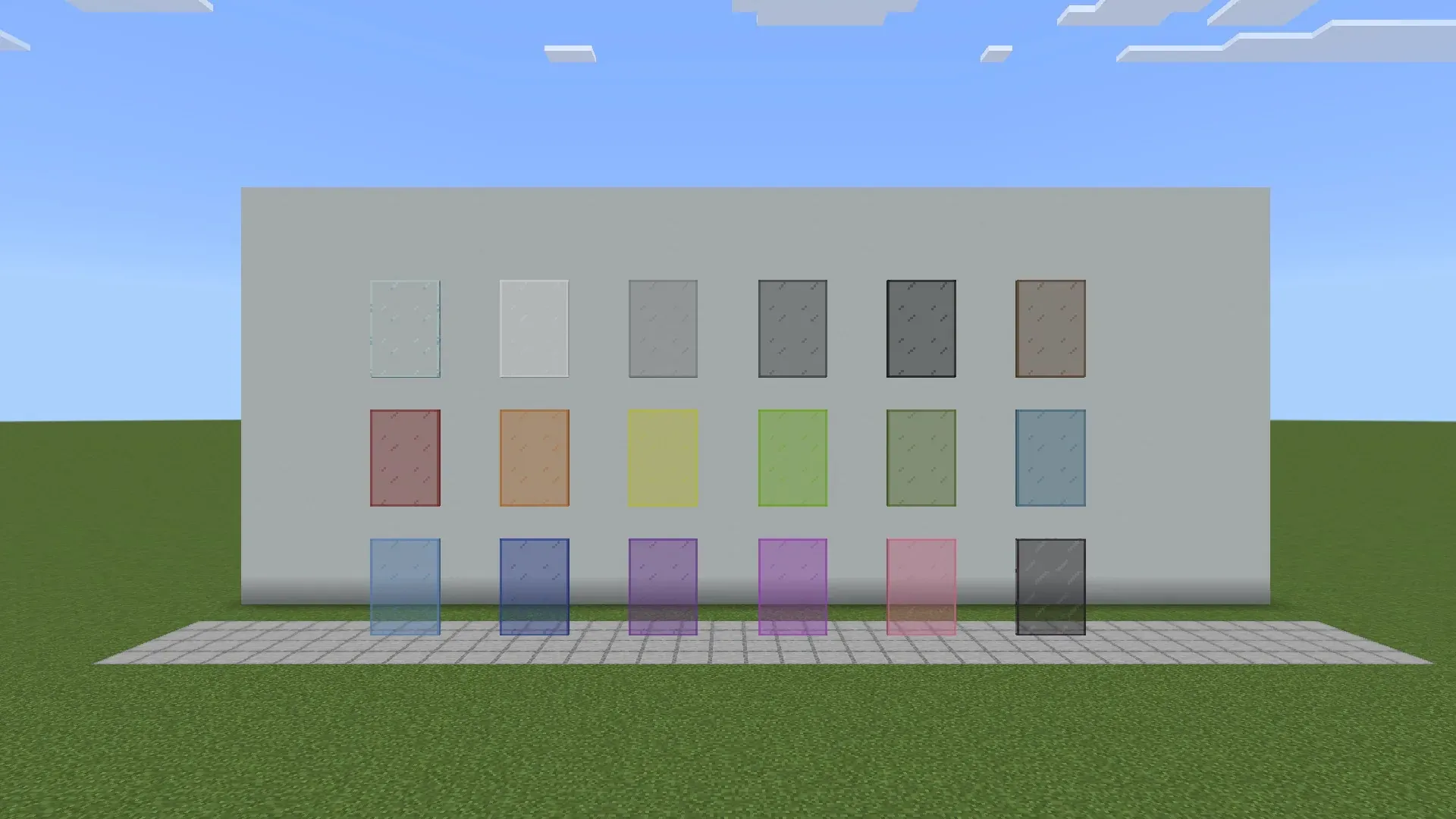
18 smooth glass panes, too 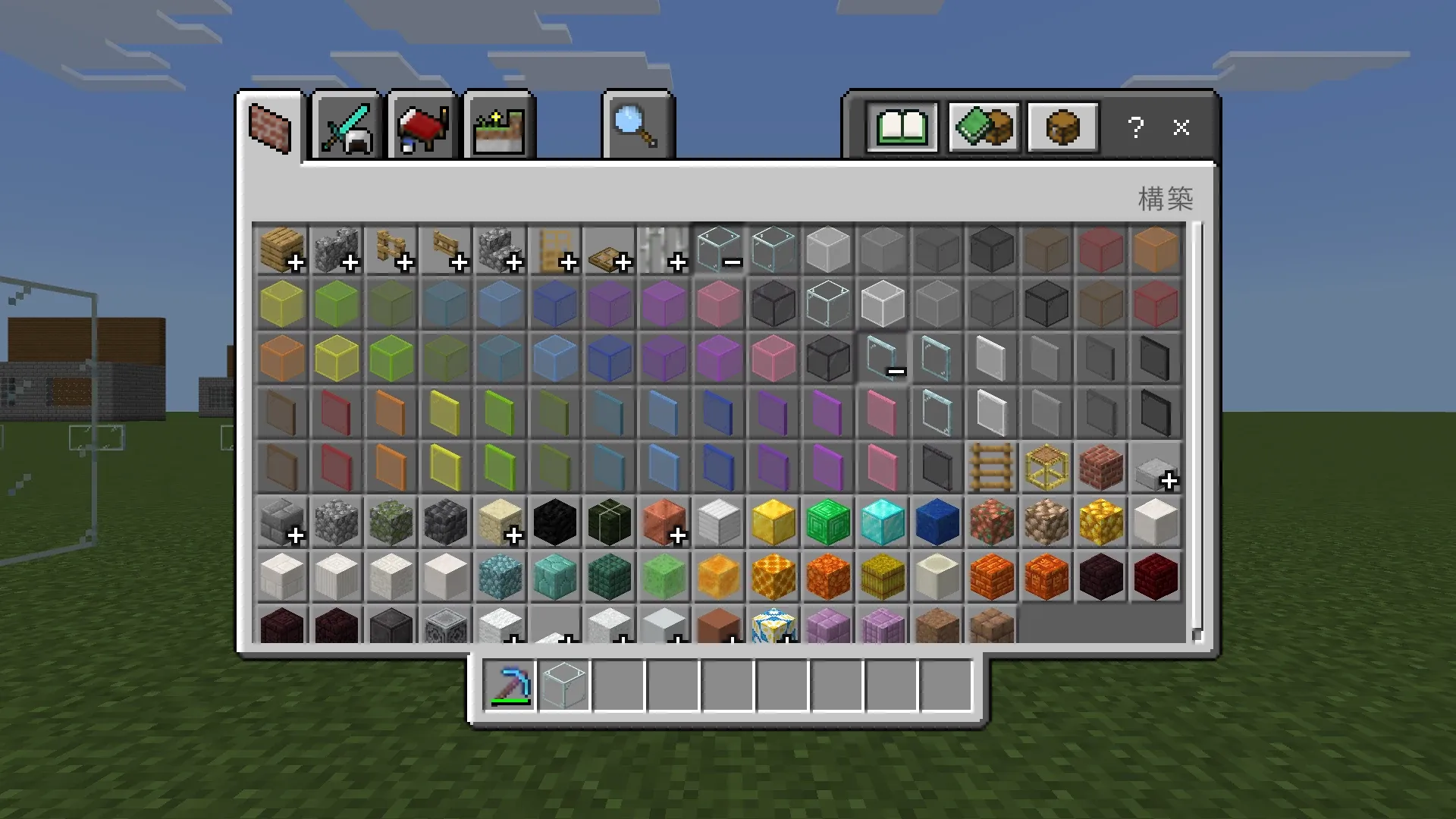
Creative inventory (Construction)