

Share the same items with friends and family — introducing the Bedrock add-on "Shared Ender Chest"
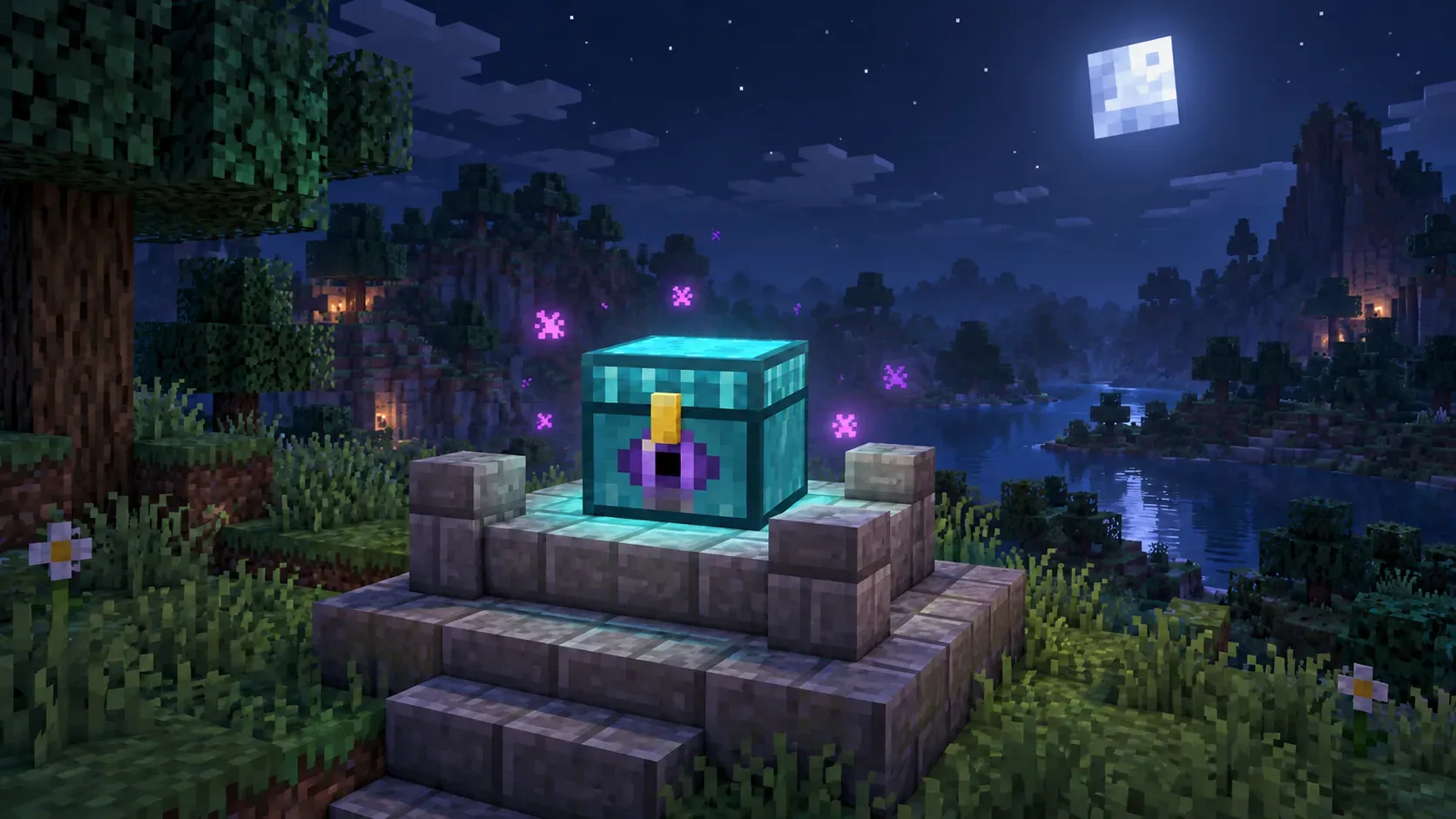
In Minecraft, the ender chest is storage for each player. You can reach your own items from wherever you place one, which is handy. But the contents are yours alone, so even when you play in the same world as friends or family, you cannot keep materials in one shared place.
Shared Ender Chest is a Bedrock Edition add-on that turns this storage into storage for each world. Every player in the same world sees and edits the same 27 slots. The author is to3izo, and this article covers version 0.2.8.
Please read first
- If you force-quit the game or it crashes, items can disappear or be duplicated (see “Notes” below).
- It has been confirmed on Windows 11 and iPhone. Dedicated servers and Realms have not been confirmed yet.
What kind of add-on is it?
Its features are these five.
- One storage for the whole world. All players use the same 27 slots. No matter how many you place, or which one you open, the contents are the same. Item data such as enchantments and names is saved as-is.
- A look that matches the vanilla ender chest. It is a sky-blue pixel-art chest made to match the feel of the vanilla ender chest, with a glowing purple (amethyst) eye and a gold latch. It opens in the vanilla chest screen, the lid opens and closes in 4 steps, and the vanilla ender chest’s open and close sounds play. Purple sparkles drift from around the chest toward its center. Its light level is 7.
- The same toughness values as the vanilla ender chest. Hardness is 22.5 and blast resistance is 600. With any tool it drops 8 obsidian; with Silk Touch it drops the chest itself.
- Lightweight. No experimental features are needed, it uses no ticking areas, and it runs no per-tick scripts (more in “Lightweight and compatible”).
- Japanese and English supported.
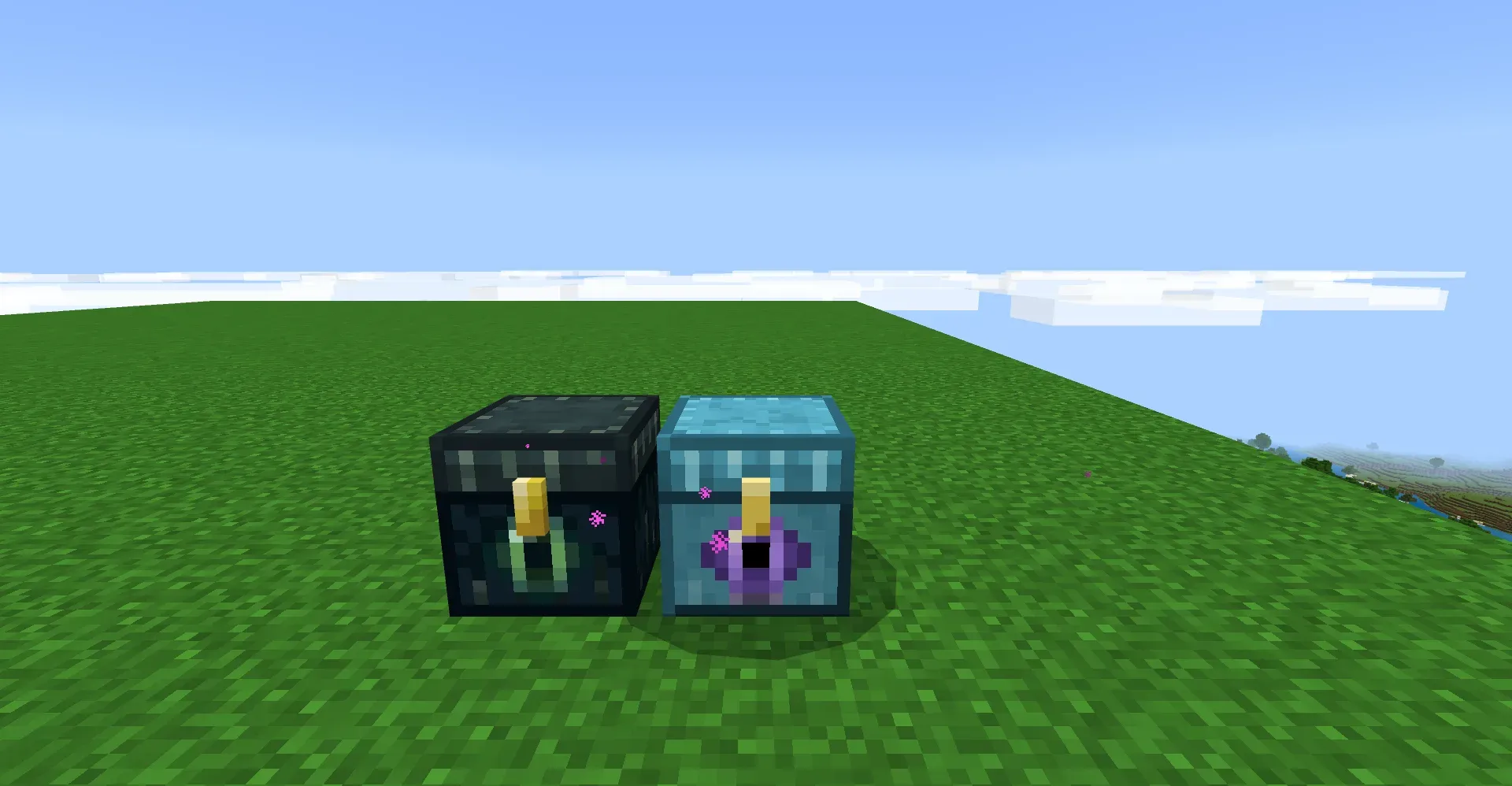 On the left, the vanilla ender chest; on the right, the Shared Ender Chest.
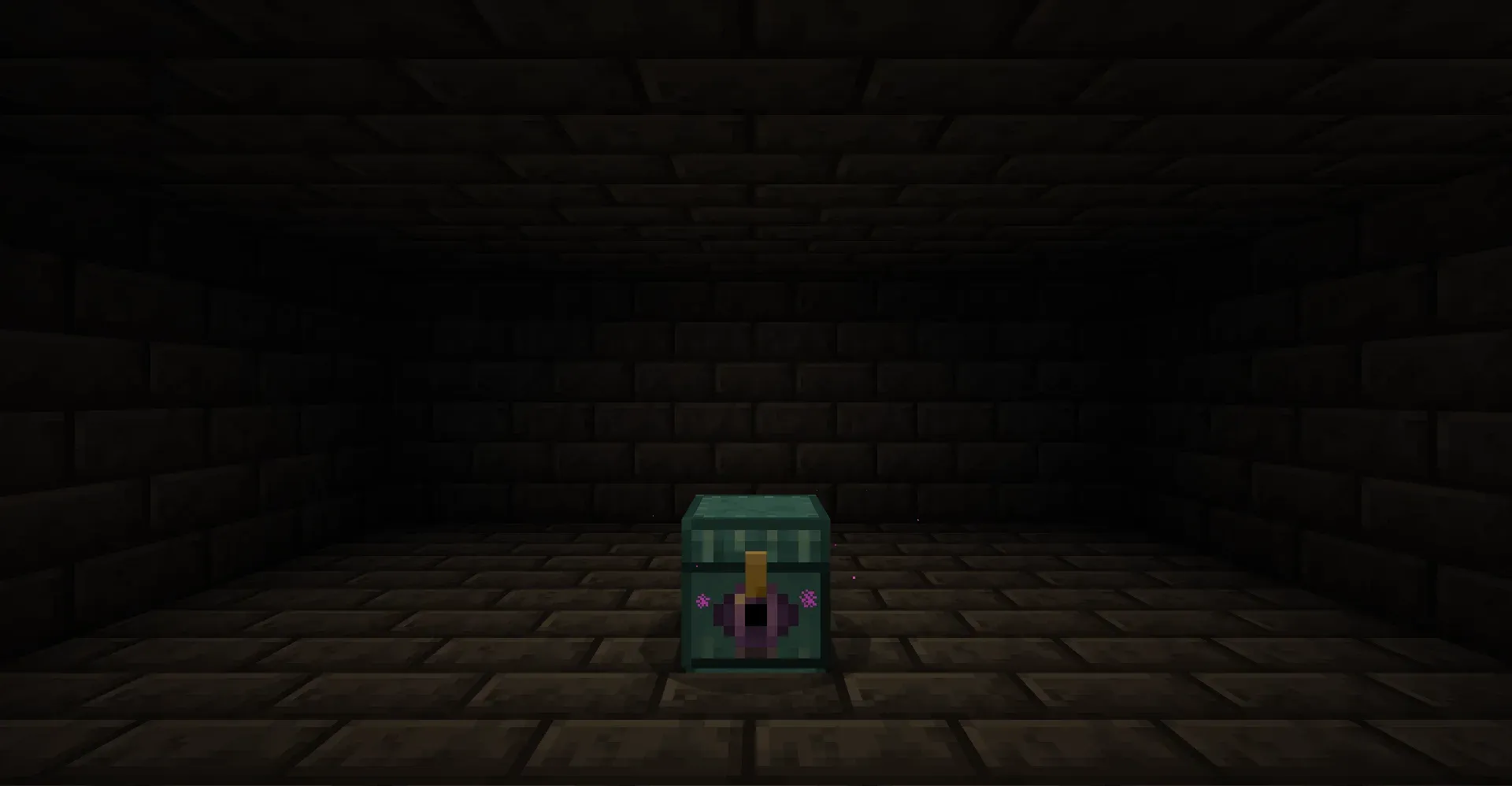 Placed in a dark room, with purple sparkles around it.
How to make it
At a crafting table, arrange the items in this shape (shaped recipe).
Diamond   Diamond                          Diamond
Diamond   Ender chest                      Diamond
Diamond   Calibrated sculk sensor          Diamond
You need 7 diamonds, 1 ender chest, and 1 calibrated sculk sensor. Put the ender chest in the center and the calibrated sculk sensor right below it. Picking up an ender chest unlocks the recipe. In Creative, it is in the chest list on the Items tab of the inventory.
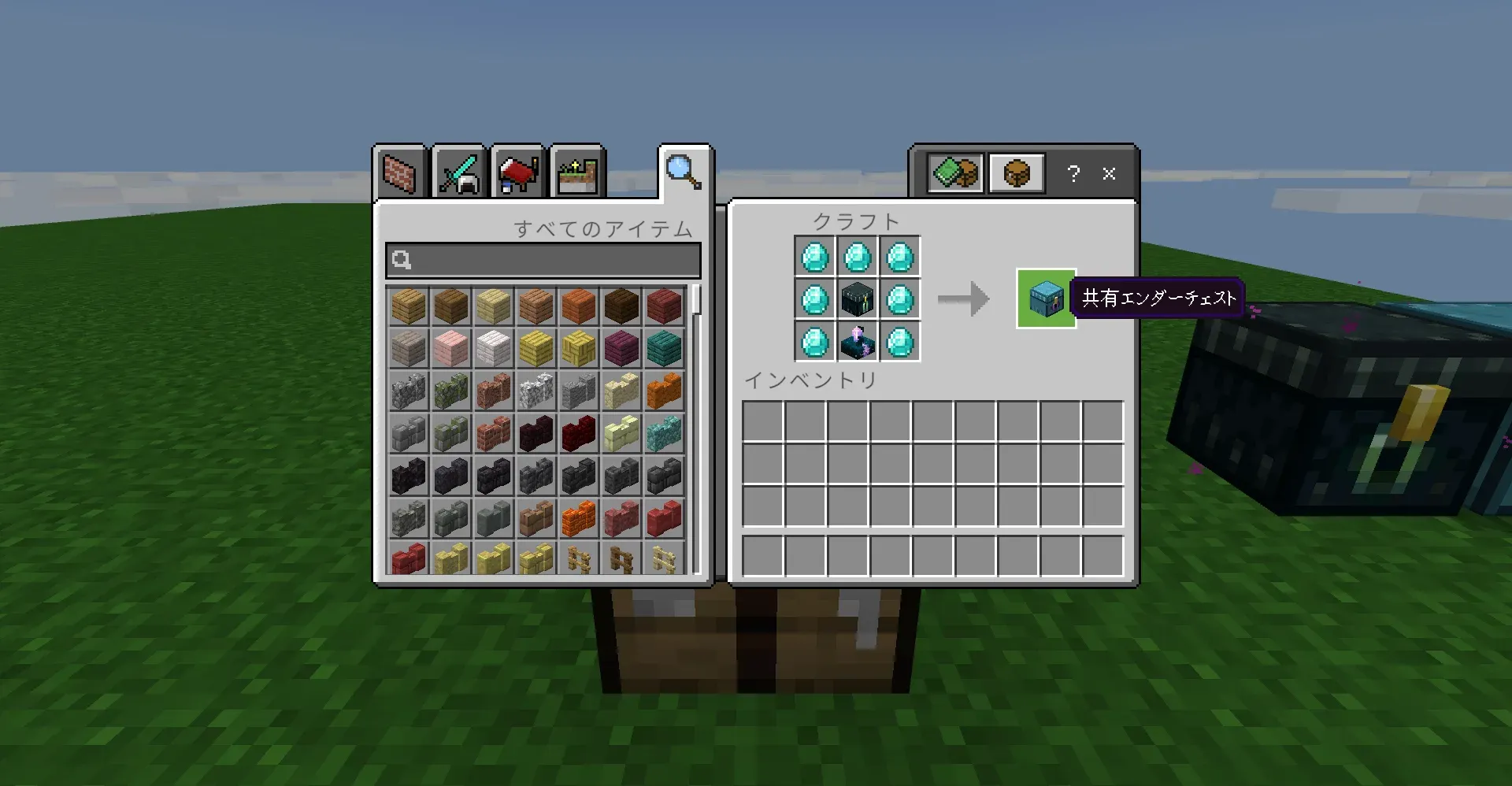 The recipe screen.
How to use it, and rules for multiple players
Opening and breaking
- Place it and right-click to open the shared inventory. On touch screens, use the “Open” button or a long press.
- To break it, hit it a set number of times (about 8 with a diamond pickaxe). If you wait 2 seconds, the count resets. In Creative, it breaks in 1 hit.
When several players use it
| Situation | What happens |
|---|---|
| Several players open the same chest | Any number of players can open it at once. Everyone’s actions show up for everyone else right away. |
| Someone has a chest open, and you try to open a different Shared Ender Chest | You cannot. The name of the player using it briefly appears on screen in yellow. As soon as that player closes it, you can open one. |
In other words, only one chest can be in use at a time.
Lightweight and compatible
- You do not need to turn on any experimental features toggle.
- Work happens only when a chest is opened or closed, and in a check roughly every 10 seconds for each placed chest.
- It is an additions-only add-on and does not override any vanilla block or item. Removing the add-on does not change how vanilla plays. However, you can no longer take items out of the shared chest once you remove the add-on (the data stays in the world).
- It requires Minecraft Bedrock Edition 1.26.50 or later.
Notes
If you force-quit the game or it crashes, items can disappear or be duplicated.
The shared contents are saved when the last player closes the chest, when a player leaves the world, and every 5 seconds while the chest is open. A player’s own inventory, on the other hand, is saved by the game itself at a different time.
So after a force-quit, the chest can go back to its last save while your inventory does not. Items you moved between the chest and your inventory in the meantime can disappear or end up doubled.
- A normal quit, a disconnect, and leaving the world with the chest open are safe (confirmed).
- Avoid moving items in or out right before you force-quit.
It also differs from the vanilla ender chest in these ways:
- Only one chest can be used at a time. See the previous section.
- The inventory screen’s title shows “Unknown”. Without experimental features, an add-on cannot set it.
- On touch screens, tapping the chest is an “attack” (the same as a minecart with chest). To open it, use the “Open” button or a long press.
- It opens even with a block directly above it. If you sneak and right-click a face, no block is placed and the chest opens.
- The lid moves in 4 steps, not the smooth motion of the vanilla chest.
- Right after you re-enter a world, a map may briefly show as “Unknown map”. It comes back after a short wait (no data is lost).
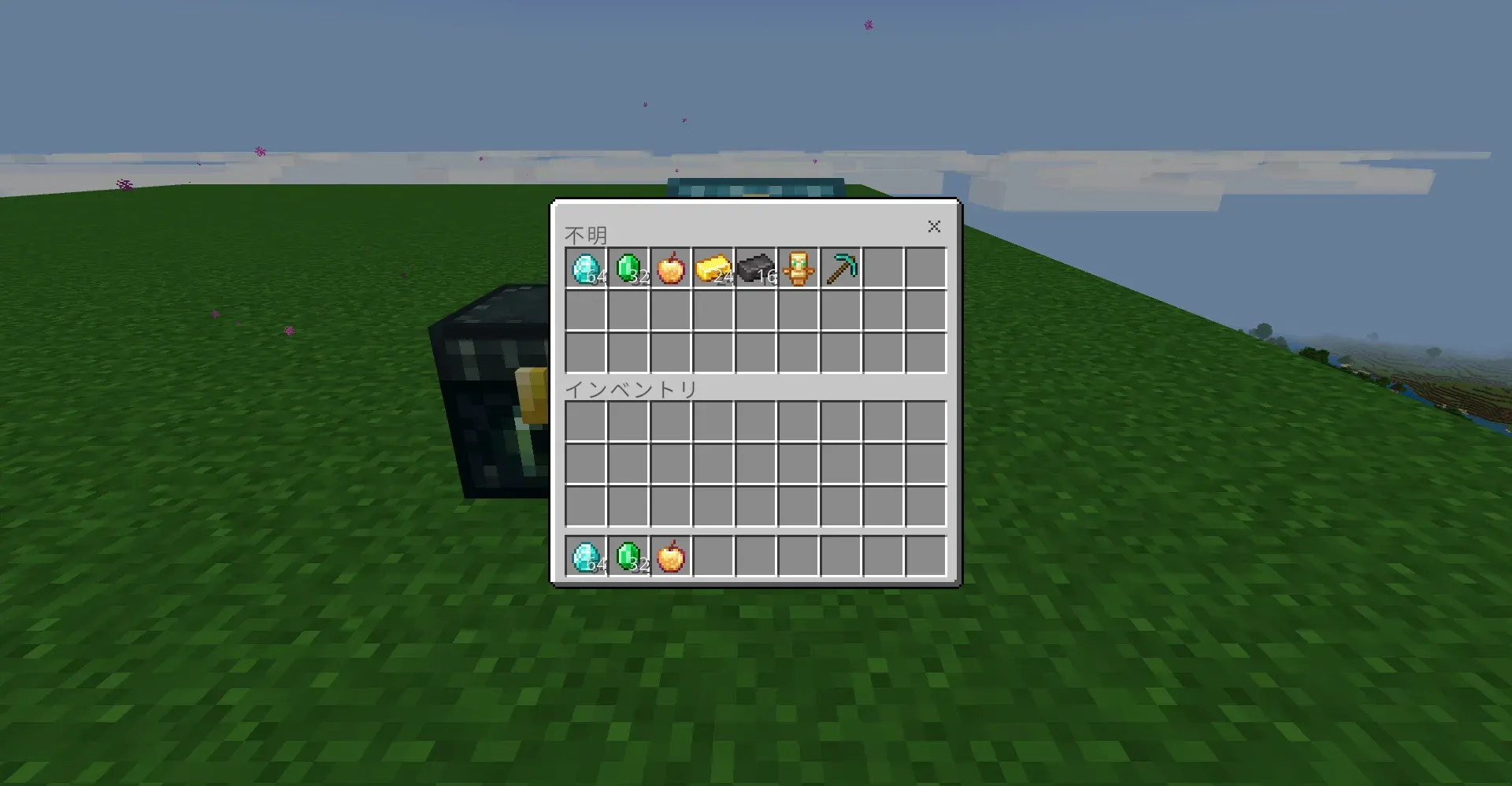 The screen’s title shows “Unknown”.
What has been confirmed
- It has been confirmed on Windows 11 and iPhone. We checked simultaneous use by multiple players, leaving with the screen open, the contents surviving when the chest is broken and placed again, saving the world and re-entering it, and recovery after a force-quit.
- Saving and restoring of items was checked with an enchanted book and an apple, potions, a firework with effects, a bundle with items inside, a book and quill, a signed book, a map, and a banner with a pattern.
- Not confirmed: use by 3 or more players, dedicated servers, Realms, Android, and consoles. A banner with layered patterns made at a loom, and a shulker box with items inside.
How it works (briefly)
An invisible helper entity sits on top of the chest, and it opens the storage screen. The contents are saved in the world’s data. It is built only with vanilla mechanisms and uses no experimental features.
How to install
- Download the
.mcaddonfile from the link under “Where to get it” below. - Open the downloaded
.mcaddonfile (on Windows, double-click it; on mobile, share it to Minecraft). - In your world settings, enable the behavior pack (the resource pack is enabled along with it).
- Where to get it: this site (TO3iZO Crafters). You can download the
.mcaddonfile directly from the Shared Ender Chest page. - License: MIT
- Release on the official Marketplace has not been decided (not yet submitted).
Summary
Shared Ender Chest is an add-on for people in the same world who want to use the same storage.
- Who it suits: people who play in the same world as friends or family and want to keep materials in one place, and people who want to use it without turning on experimental features.
- Who should try it first (or may want to skip it): if you want to use it on a dedicated server, Realms, Android, or a console, it has not been confirmed there, so try it in a test world first. If your game tends to be force-quit, read the notes above before you decide.
We recommend testing with a small amount first before you store anything important.